
Treesoft CAD Converter PDF/DXF/DWG
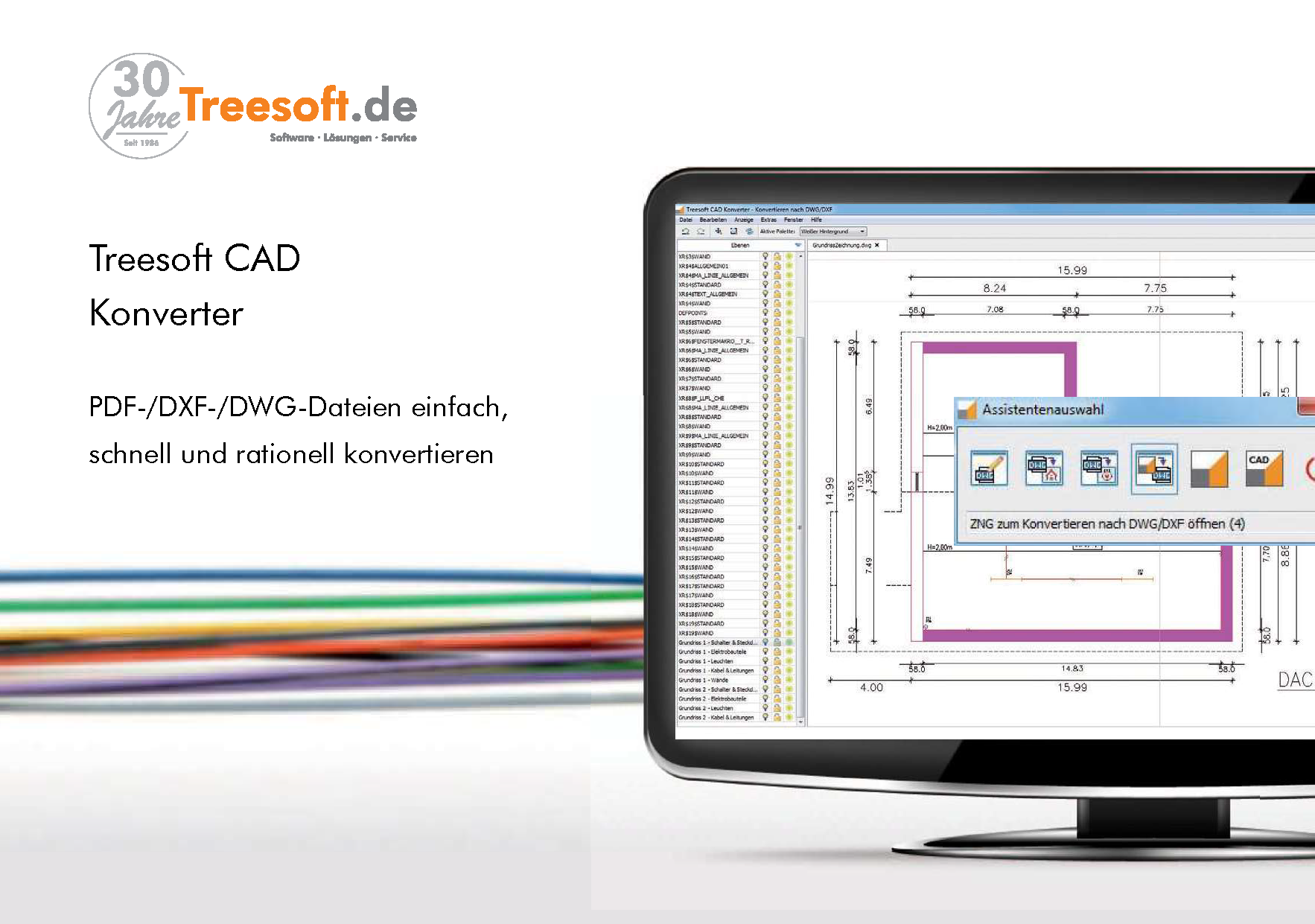
This brochure explains how to convert floor plans provided to you as PDF, DWG, or DXF files into a Treesoft CAD ZNG file (drawing file) with the click of a button. You can then use the bidirectional module to convert the floor plans you’ve created—complete with electrical installations—back into a DXF/DWG file.
Import, convert, edit, and export PDF, DXF, DWG, and ZNG drawing files
Typically, floor plans are arranged side by side in a PDF, DWG, or DXF file. When you use the Treesoft CAD Converter to convert these floor plans into a Treesoft CAD Building Services ZNG file, a background drawing (vector graphic) is generated from each floor plan. All objects associated with a floor plan are placed on the “Graphic Elements” layer. You only need to keep the objects you require for designing the electrical installation. If desired, you can delete anything you don’t need.
You can then create the electrical installations in Treesoft CAD. Of course, you can then use the Treesoft CAD Converter to save the finished floor plan drawings back in all formats (DWG/DXF) for which you have purchased the corresponding modules. In doing so, you generate one file from each floor plan with electrical installations.
More Pages
Benefits of the Treesoft CAD Converter
Simply importing a scanned floor plan is already a fast and high-quality alternative to drawing a floor plan by hand. The key advantages of the Treesoft CAD Converter over a scanned plan are:
- All drawing features, such as snap-to-object, are available.
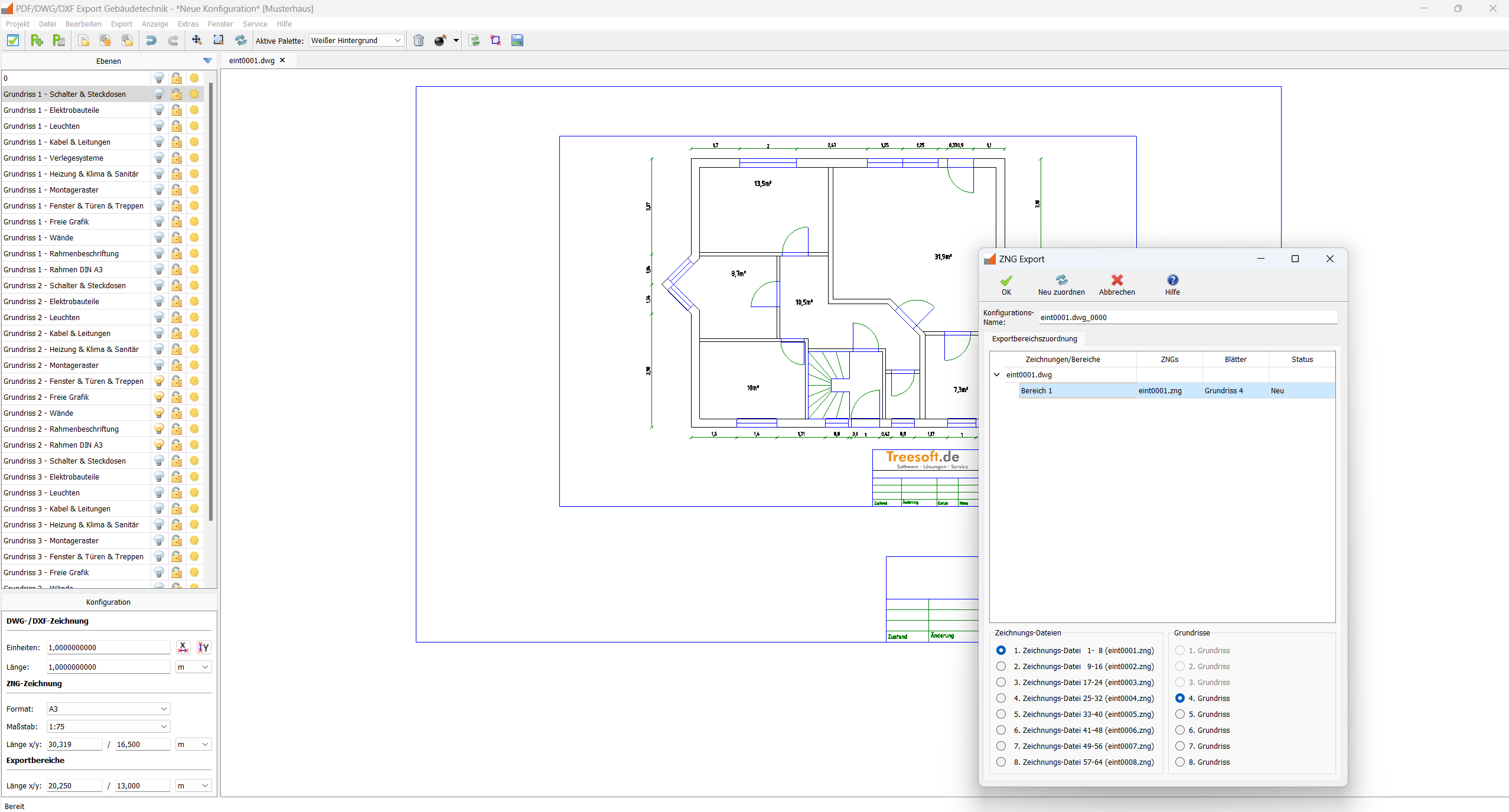
- The CAD converter's layer technology allows you to show or hide saved elements of a CAD drawing in any combination. This makes it easier to maintain a clear overview, especially in complex CAD drawings.
Overview of Module Functions
The Treesoft CAD Converter has a modular design. This allows us to sell you exactly what you really need—no more, no less. In line with our policy of transparency, we list the prices for each individual module in our price list. In addition to the individual prices listed, we also offer various packages at significantly lower prices.
The Treesoft CAD converter modules and the functions they include can be used to solve all tasks arising from the scenarios described below.
- DXF and DWG Import/Export
- Smart PDF Import
- Image Import Module
- Bidirectional Module
- Batch Processing Module
The Treesoft CAD Converter and two modules are included in the Building Services Starter Package for the electrical trade and in the Control Systems Starter Package for maintenance.
DXF Import/Export + DWG Import/Export
DXF files can be created using just about any CAD program available on the market. Unfortunately, the specifications set by Autodesk are often not followed.
DWG files can now be created using a wide variety of CAD programs. However, the specifications set by Autodesk must be followed; otherwise, such a file would not open at all.
If both formats are available to you, we recommend using the DWG file.
With each new version of AutoCAD®, the specifications change as well. Thanks to the Teigha® library we use, we can currently read and write all AutoCAD® formats and even convert between them. This ensures that you can always submit your work in the specified format for any bid.
Supported Formats
Bidirectional Module
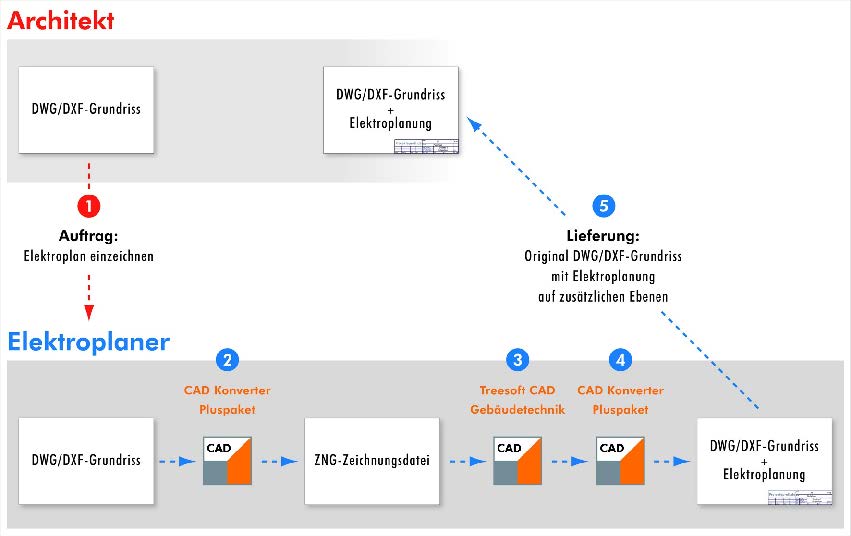
If you want to preserve the original structure of the PDF/DWG/DXF file so you can return it to the data provider, the Bidirectional Module is the solution. It extends the Treesoft CAD Converter to support bidirectional data exchange.
When converting floor plans into a Treesoft CAD floor plan file, the Bidirectional Module automatically generates a configuration file. This file stores all coordinates, sheet formats, scales, and a reference point for each floor plan. In addition, a copy of the original file is automatically created.
Once you have completed the design of the electrical installations for the individual floor plans in Treesoft CAD Building Services, you can export them back to the original DWG/DXF file with the click of a button. The background drawings are not written back. The data recipient thus receives the delivered DWG/DXF file in its original state, with the electrical installations stored on attached layers. It doesn’t get any better than that!
Concluding sentence
As you can see, all tasks can be completed easily, quickly, and efficiently using the Treesoft CAD Converter and the features in the corresponding modules.
Working with the Treesoft CAD Converter
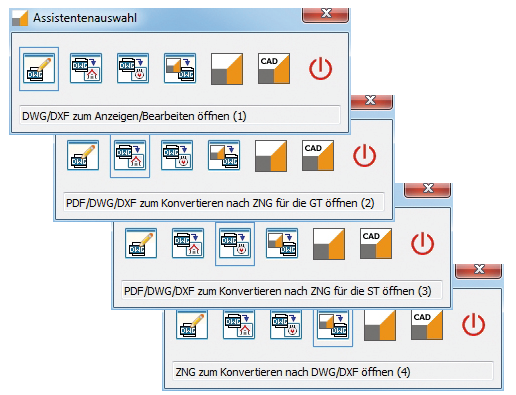
In the following, we’d like to give you an idea of how to use the Treesoft CAD Converter. Here, we describe all the steps needed to convert floor plans from a PDF/DWG/DXF file into a Treesoft CAD building services drawing and then save it back as a DWG/DXF file, or write the created electrical installation back into the original DWG/DXF file.
Video – Feature Demonstration: Treesoft CAD Converter
Using a DWG drawing provided by the client, we demonstrate the bidirectional data exchange between the architect and the electrical designer.
Treesoft ZNG file (drawing file)
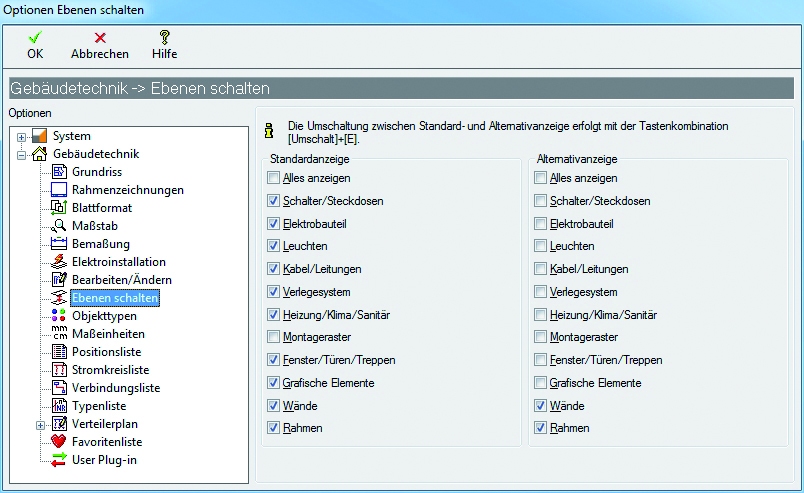
Treesoft CAD Building Services includes an automatic layer management feature. A floor plan created with Treesoft CAD Building Services and the corresponding electrical installation are automatically distributed across a total of 10 layers.
Floor plans in a ZNG file
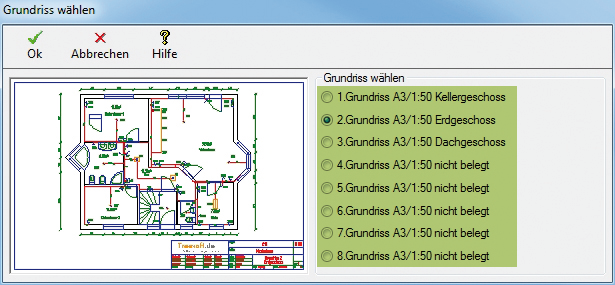
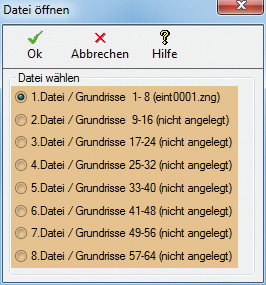
In a ZNG file (drawing file), you can create up to 8 floor plans. A project manages 8 files. This results in 64 floor plans (floors).
In Treesoft CAD, the floor plans (floors) are therefore drawn one on top of the other. Using the “Select Floor Plan” command, you simply select the desired floor plan, and Treesoft CAD then automatically makes the 10 layers associated with that floor plan visible, according to the settings you have configured. The drawing frame is stored on a separate layer and can be displayed if desired.
The Treesoft CAD ZNG format currently supports the following objects: points, lines, circles, rectangles, text, arcs, symbols, symbol definitions, and bitmaps. All objects stored in a symbol definition (block header) are placed on the layer specified in the symbol.
DXF/DWG file
The development of the DWG and DXF formats is determined by Autodesk, the developer of the AutoCAD® CAD program. Each new version of AutoCAD may introduce a new, enhanced version of DWG and DXF. DXF is always only enhanced; no elements are removed from the standard.
The DWG and DXF file formats, developed for AutoCAD®, have become an industry standard for exchanging CAD data. According to Autodesk, approximately three billion files have been created in the DWG format since its invention, and one billion of those were actively edited in 2006.
In AutoCAD® Architecture, floor plans are displayed side by side. When the user selects a floor plan, the drawing is zoomed in and the screen window is positioned so that only the selected floor plan is visible. The layers here are not static; instead, they are managed by the user. Most architectural CAD programs on the market are based on this approach and function in exactly the same way or very similarly.
The AutoCAD® DWG format also supports complex objects such as polylines and Bézier curves. All objects stored in a block header (symbol definition) are placed on the layers specified in the symbol definition.
Autodesk and AutoCAD® are registered trademarks or trademarks of Autodesk, Inc. and/or its subsidiaries and/or partners in the United States and/or other countries.
Try Treesoft CAD
for free
Questions?
We're happy to help!
+49 2266 4763-800
sales@treesoft.de


