
Treesoft CAD PLC Wizard
Add-on module for the configuration of PLC automation systems
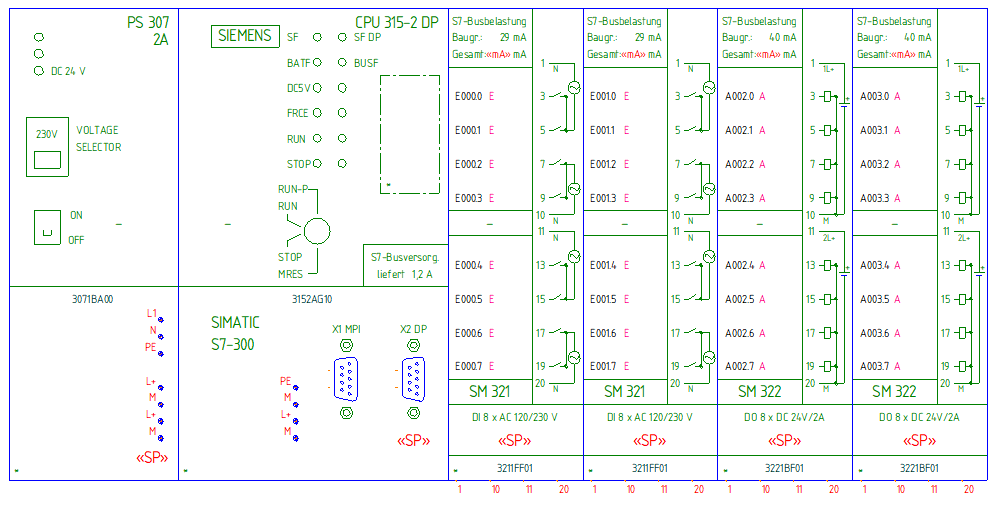
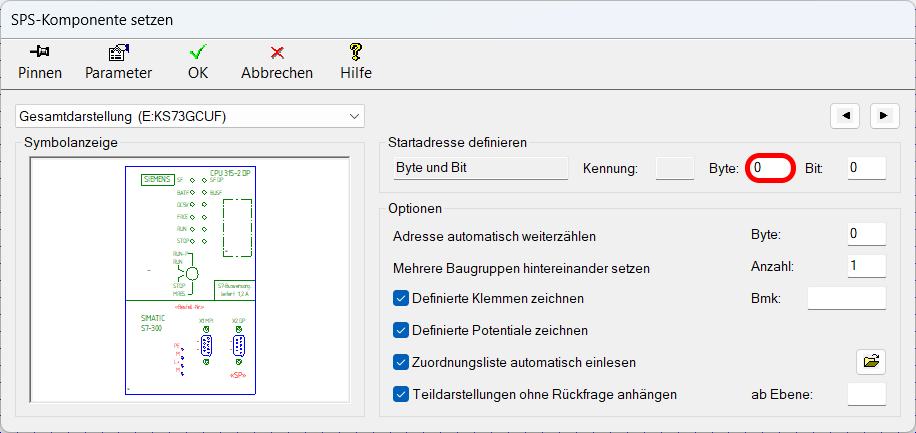
The PLC Wizard allows you to automatically position and label PLC automation systems in your documentation. All terminal designations, part numbers, input and output addresses, and user-defined text are automatically labeled in all general and detailed views.
Video: PLC Design in 3 Minutes with the Treesoft CAD PLC Wizard
In this video, we’ll show you how to create a control section for a power section using the PLC Wizard.
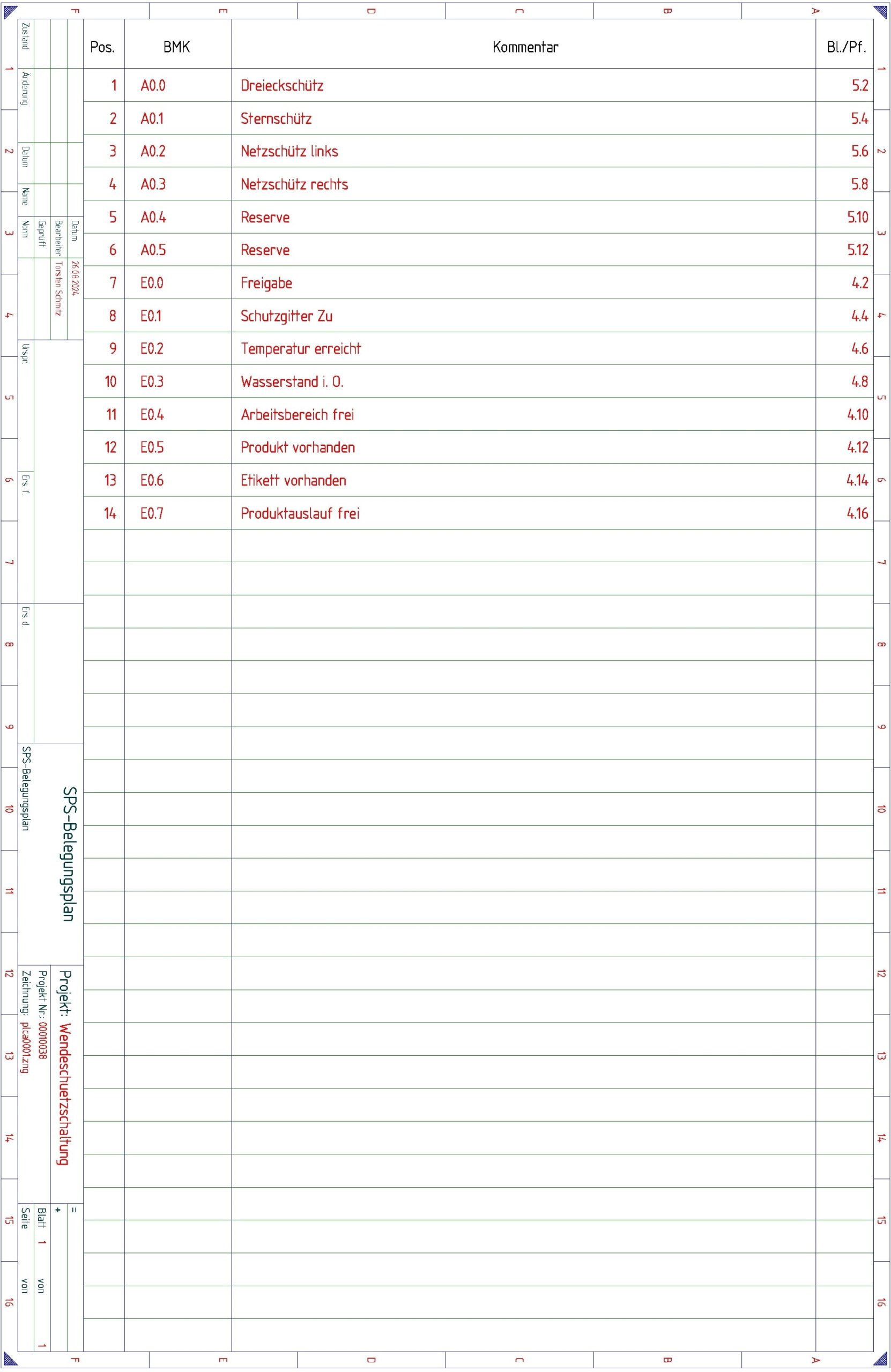
Here you can view the finished plan from the video.
Parts Catalogs
The PLC Wizard, in combination with our component catalogs, contains a wide variety of symbols with PLC representations. All parameters required for the automation functions are stored for the individual assemblies in the corresponding component catalogs. These make it quick and easy to draw a PLC schematic.
Siemens SIMATIC S5
Siemens SIMATIC Automation Systems
Beckhoff Automation
The Treesoft CAD PLC Wizard with a component catalog extension is part of the Automation Control Technology Starter Package.
Open PLC Documentation System
In the PLC Wizard, you can define any PLC representations you want and customize your catalogs. This gives you access to all the features you need to create schematics with PLC representations at an unprecedented speed.

Try Treesoft CAD
for free
Questions?
We're happy to help!
+49 2266 4763-800
sales@treesoft.de


