
Smart PDF Export
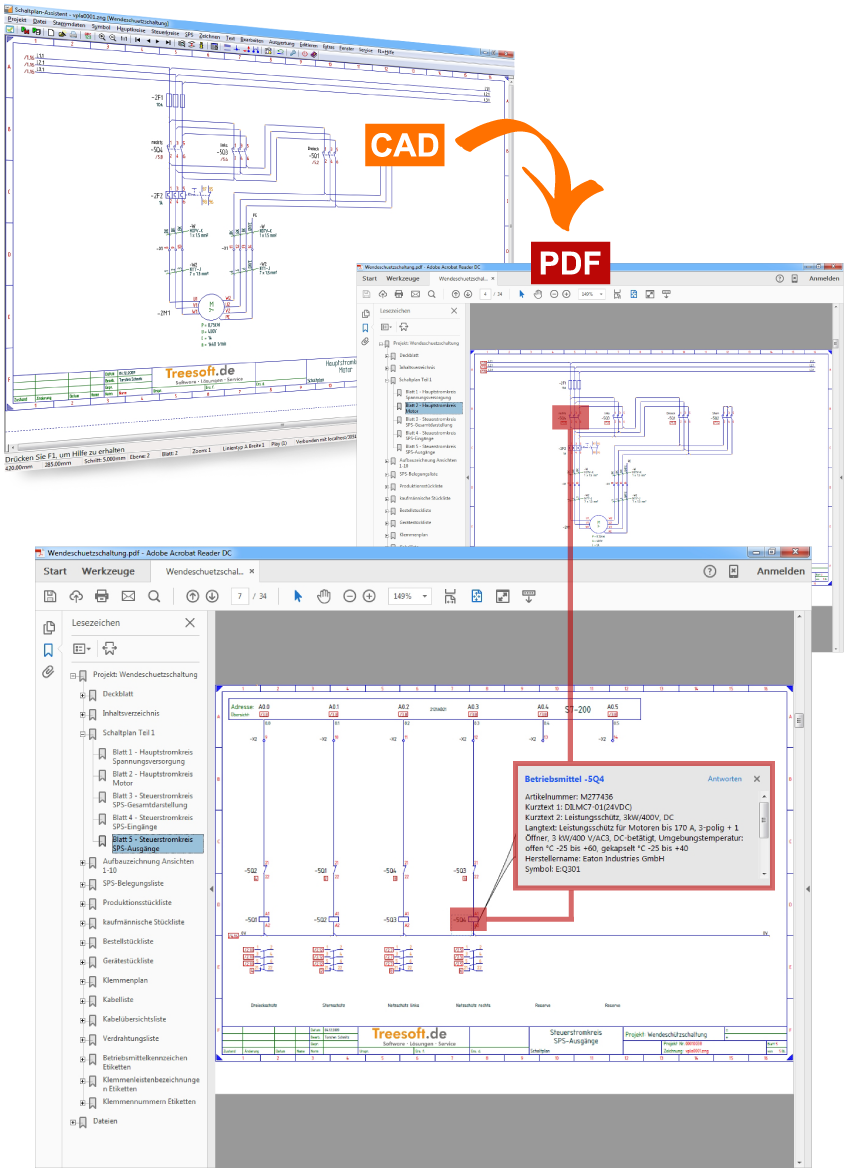
PDF schematic with cross-reference navigation and product information
With Treesoft CAD’s smart PDF export feature, you can export projects to a smart PDF file—complete with cross-reference navigation and component information within the PDF schematic—with just the click of a button.
The PDF Export dialog also offers you various options for customizing the generated PDF.
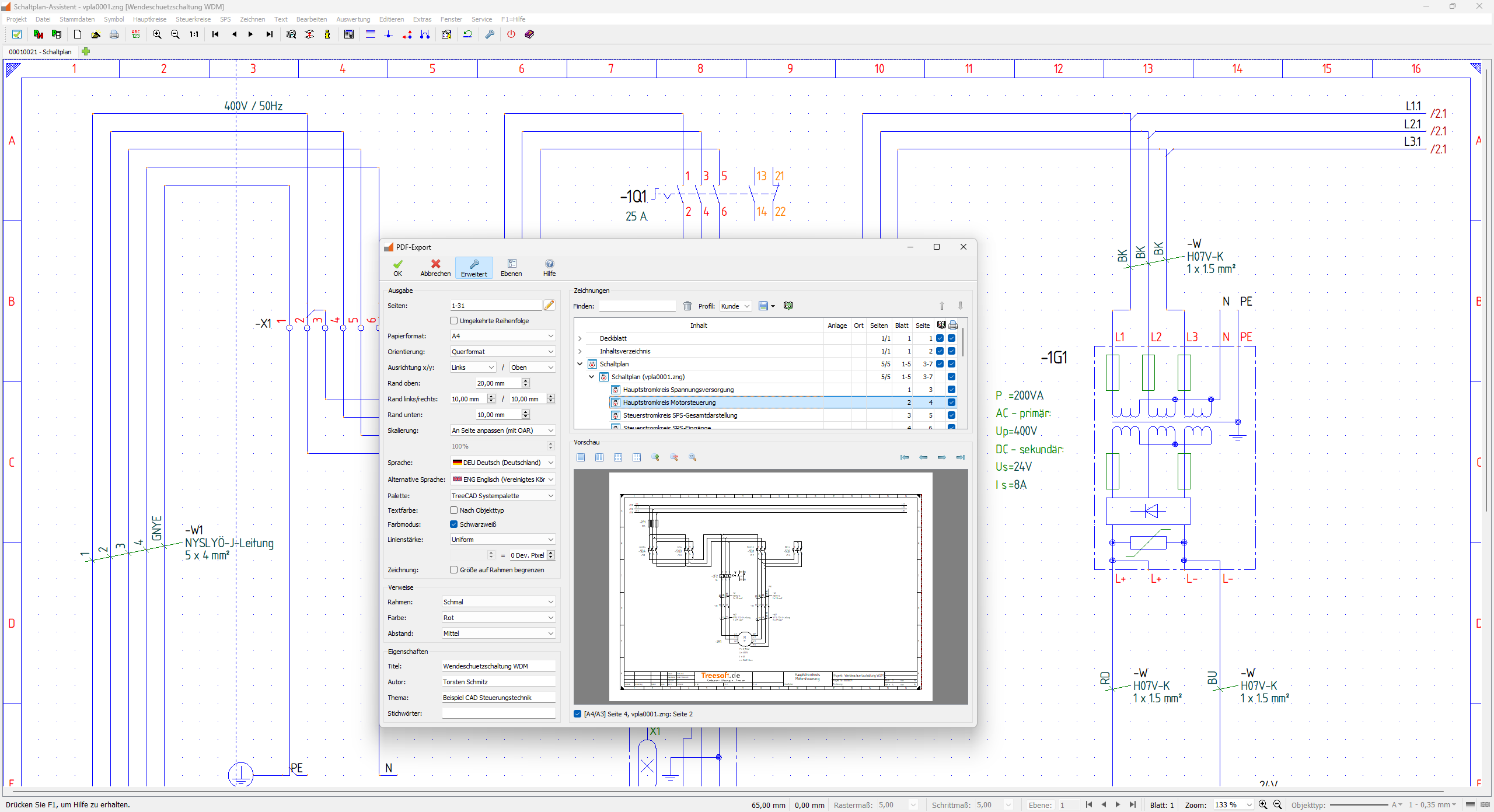
Quick Guide: Settings in the Project Print Preview and PDF Export Dialog
Video: Feature Demo – Treesoft CAD Smart PDF Export
Using the “Reversing Contactor Circuit” example project, we’ll show you how to export your project into a smart PDF file—complete with cross-reference navigation and component information within the PDF schematic—at the click of a button.
The advantages over standard PDF export
Sample PDF projects
Take a look at the following sample PDF projects, generated with different export settings. In the smart PDF generated with the add-on module, the component information for the schematic is embedded. This information is displayed in a pop-up window or text annotation when you hover the crosshairs or mouse over a device identifier. See for yourself—the results speak for themselves.
- Reversing Contactor Circuit (Font: ISO-3098, Border: Narrow, Color: Red, Spacing: Medium).pdf
- Reversing Contactor Circuit (Font: ISO-3098, Border: None).pdf
Try Treesoft CAD
for free
Questions?
We're happy to help!
+49 2266 4763-800
sales@treesoft.de


