
Integrated Project Management in Treesoft Electrical CAD · CRM · ERP
Plan and Manage Projects in Control Systems and Electrical Installation Technology Transparently
Keep track of ongoing and completed projects. In addition to project participants, all project communication is handled and automatically stored in the project history—from emails and faxes to letters and phone calls. Plan your projects, create your electrical CAD schematics or wiring diagrams, track time spent, and assign tasks, follow-ups, and deadlines. Boost your efficiency, since much of the information—such as addresses, materials, or services—only needs to be entered and maintained once.
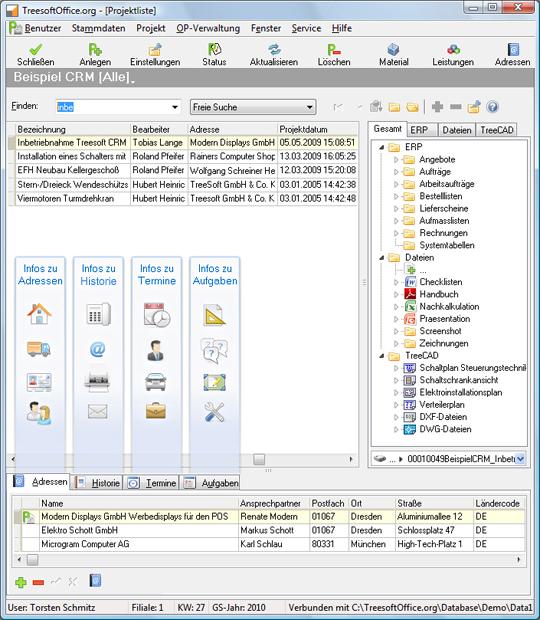
Addresses
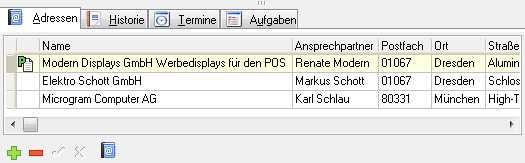
The “Addresses” tab is used to assign a project address and any number of additional contacts to a project. For example, the project address can be the customer or the construction site, and additional contacts can include suppliers, installers, or subcontractors. With just one click, you can open the desired contact from the project overview and, for example, call them directly using the computer telephony integration (CTI) feature built into TreesoftOffice.org.
History
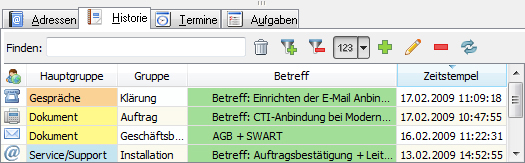
The “History” tab contains the complete history of a project. Here you will find all phone calls, conversations, documents, and emails related to the project, regardless of the address or contact under which this information was saved. History entries in TreesoftOffice.org can generally be linked to any number of addresses and projects at the same time, ensuring that a transparent address or project history is always available and visible to every employee.
Dates
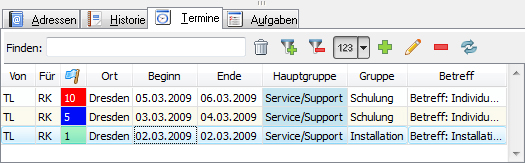
If you have created or linked appointments to a project, you can find them under the Appointments tab. In TreesoftOffice.org, appointments generally include all the information you need and are familiar with from other applications. A “Starts on” and “Ends on” date, including the time, priorities, and a status, are just as standard as the display of appointments in the calendar. You can use the built-in TreesoftOffice.org Notifier to set reminders for your appointments. In TreesoftOffice.org, appointments can be linked to both addresses and projects simultaneously. This ensures the highest possible level of transparency.
Tasks
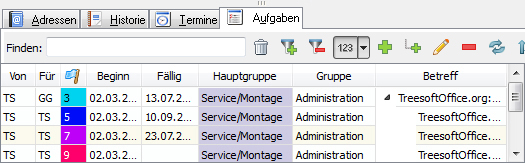
Under the “Tasks” tab, you’ll find all the tasks for a project, and you can also view your completed tasks. TreesoftOffice.org lets you manage all created tasks, as well as their associated subtasks. Just like appointments, these can be assigned to addresses and projects and can be displayed in calendars and lists. You can enter target and actual values in the tasks to get an overview of the required and planned times. You can use the built-in TreesoftOffice.org Notifier to set reminders for your tasks.
Try Treesoft CAD
for free
Questions?
We're happy to help!
+49 2266 4763-800
sales@treesoft.de


