
Treesoft CRM stands for optimal customer relationship management
Transparency and Knowledge for Marketing, Sales, and Service
With Treesoft CRM, you have everything you need to accelerate your sales, provide first-class customer service, and run efficient marketing campaigns. Project management and task management features enable you to efficiently manage your workflows. Analytics tools help you evaluate and optimize your processes.




Treesoft CRM includes the following program modules
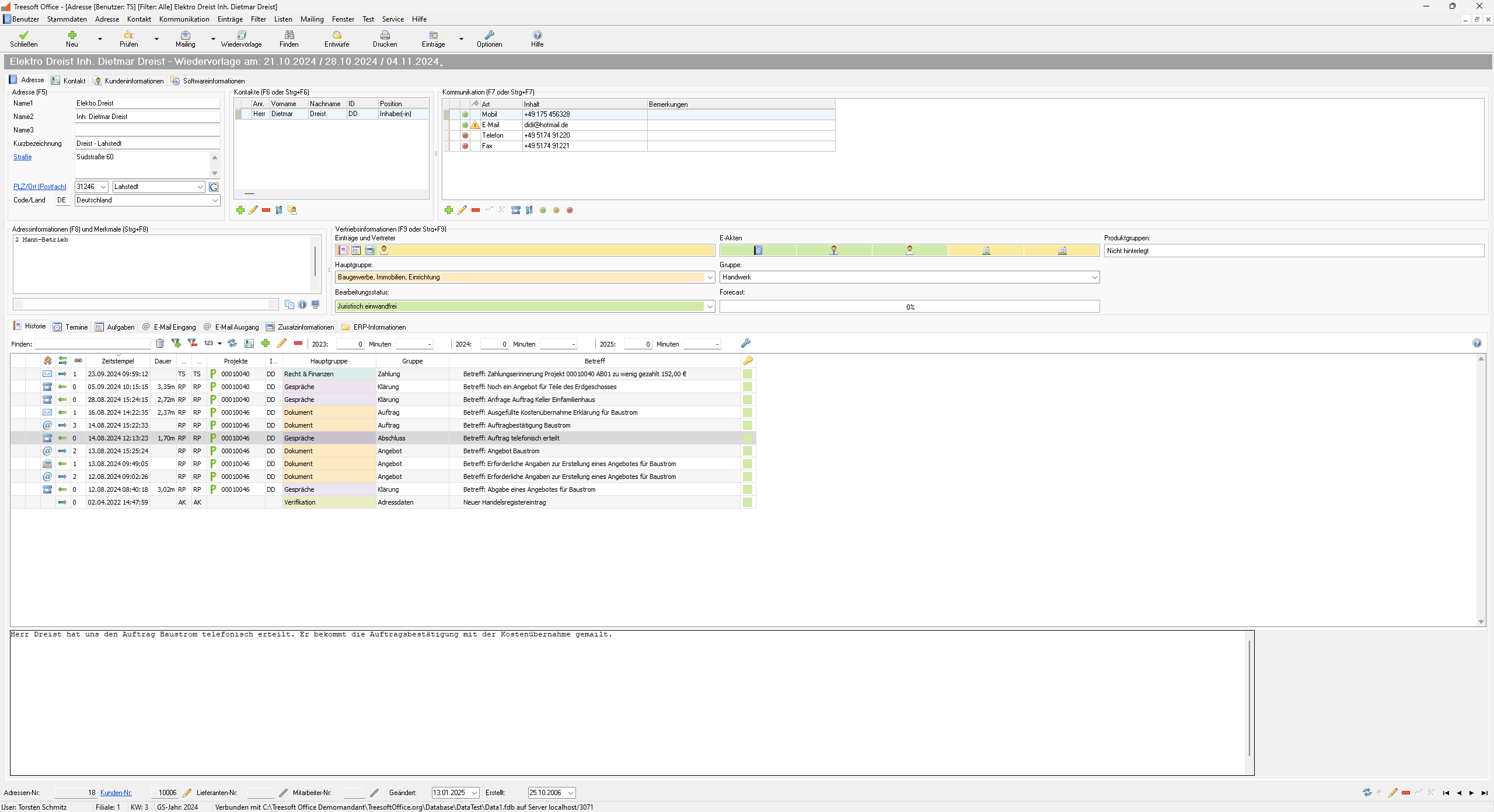
Address Management
Professional address and contact management for managing prospects, customers, suppliers, manufacturers, and employees, with an unlimited number of contacts and communication details.
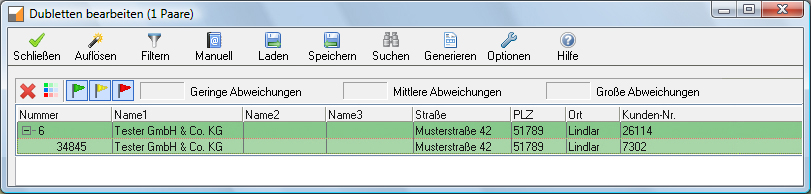
Duplicate Removal
With Treesoft’s duplicate removal feature, you can find and remove duplicates both when importing addresses and later in the database.
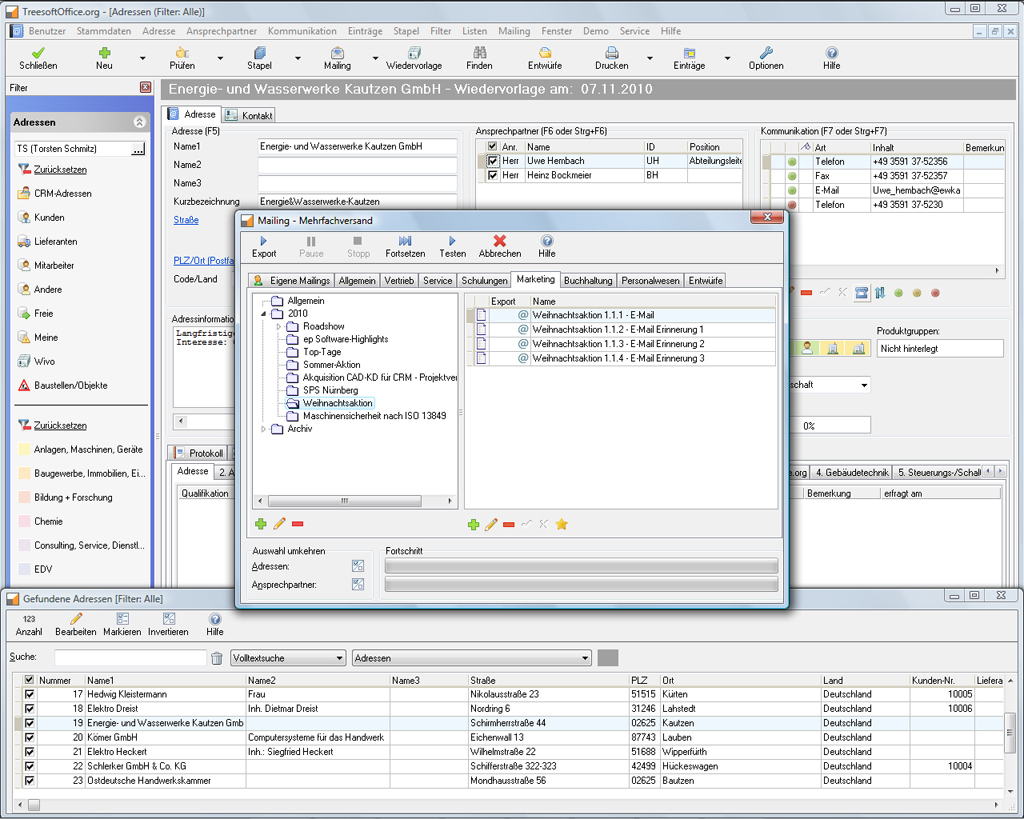
Mail Merge and Campaign Management
With Treesoft’s mail merge and campaign management features, you can send saved emails, faxes, and letters as mailings to one or more recipients.
Computer Telephony
All calls, whether incoming or outgoing, are logged and can be linked to the log entries in the address book.
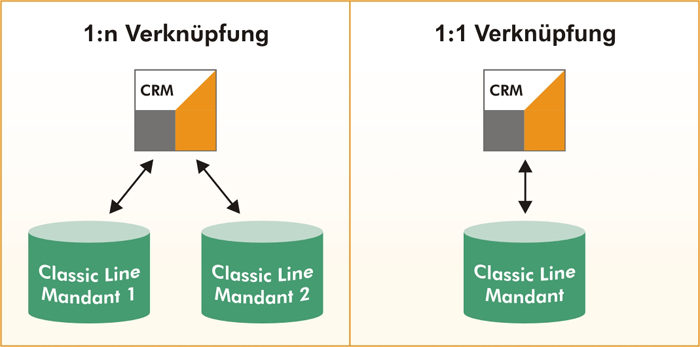
ERP Interface (API) to Sage New Classic and Sage Office Line
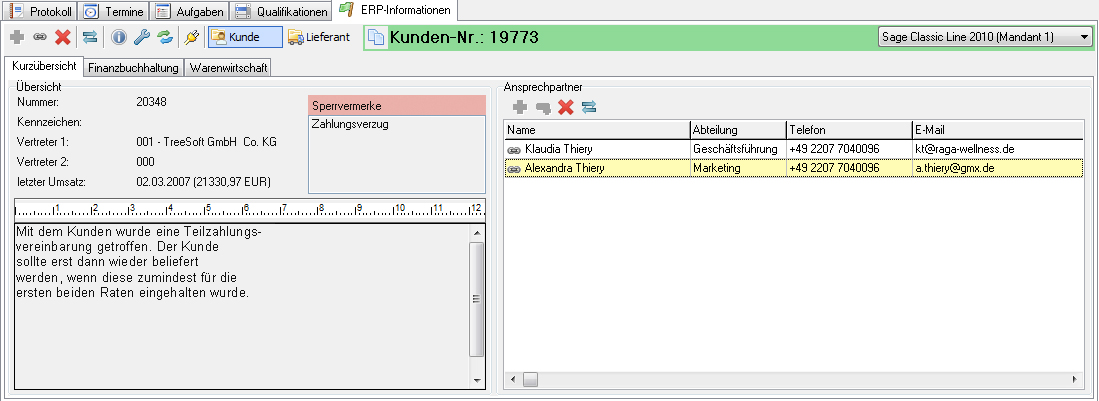
Address information, documents, and open items at a glance.
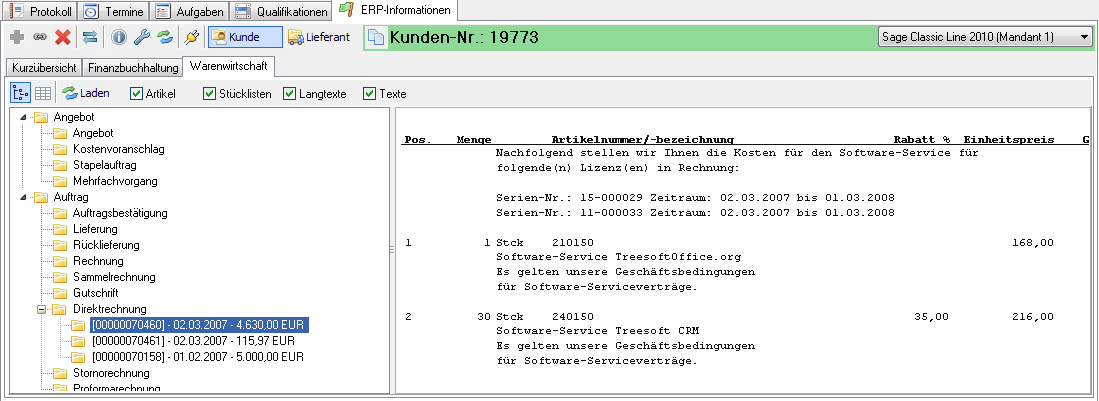
With the high-performance Sage Office Line interface in Treesoft CRM, you always have a clear overview of all address data, documents, and open items. With just one click, you can view the document you want. The overview displays short text 1 and 2 for each item.
Check the corresponding box to include bills of materials, long texts, and other texts in the output. Switch to the Financial Accounting tab to view the desired overview of open items and lock notes. Click on an open item, and the associated document will be displayed. It’s fast and clear—exactly what users want.
You can find detailed information about the ERP interfaces in the CRM add-on modules.
Geo-Data
The Treesoft GEO-Data module lets you display one or more addresses on an internal map in Google Maps or Google Earth. This allows you, for example, to visualize the geographic distribution of your customers in a specific area or plan routes for your field staff in a matter of seconds.
With the Treesoft GEO-Data module, you can also automatically display the state associated with an address—for example, if you need to take into account different regulations for your products depending on the state.


Qualifications
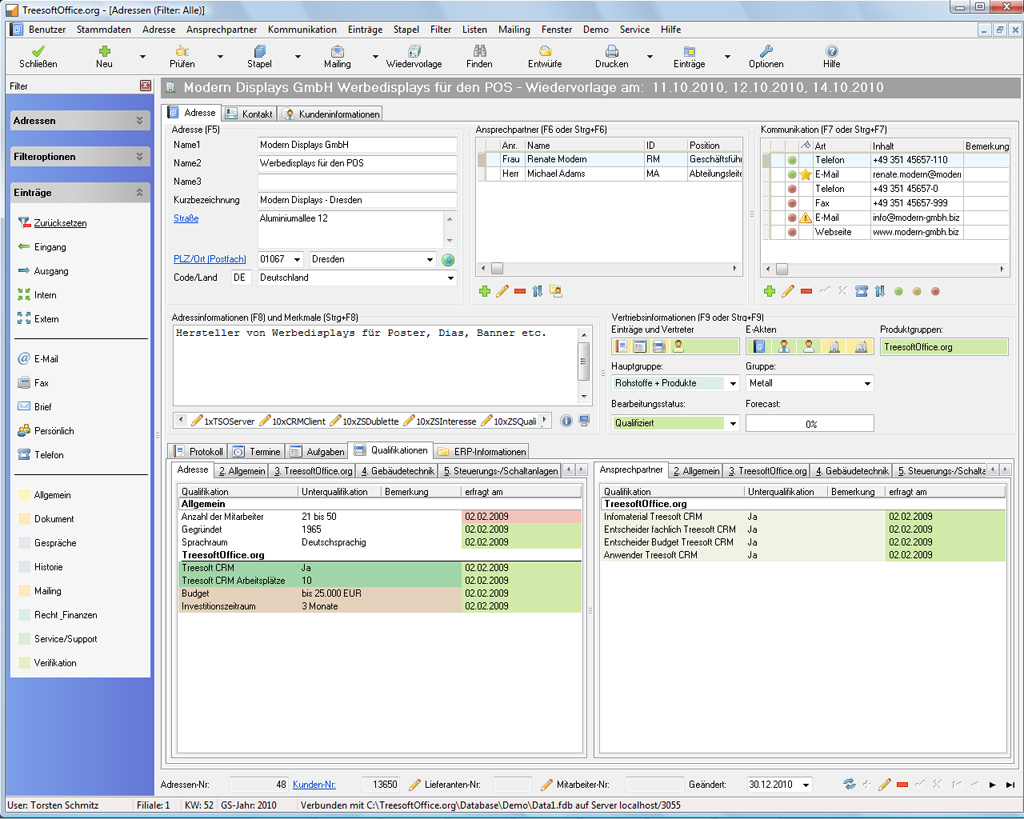
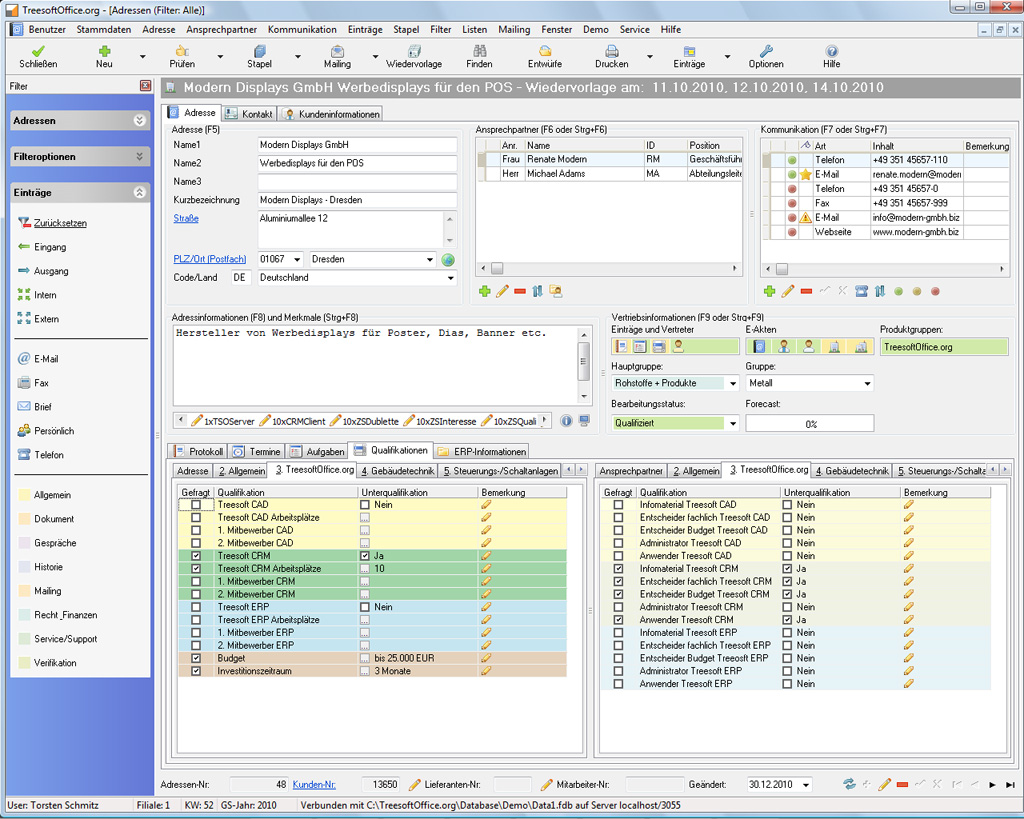
With Treesoft qualifications, you can store any additional information about addresses and contacts. This information is automatically available for analysis right away and is displayed on a corresponding overview page in such a way that only the entered information is shown.
In addition, the date of entry is displayed, so you always have a clear overview of your addresses and contacts and know how old the information is. You can also add notes to individual qualifications, which makes things much clearer—especially when it comes to cross-selling.
Interest
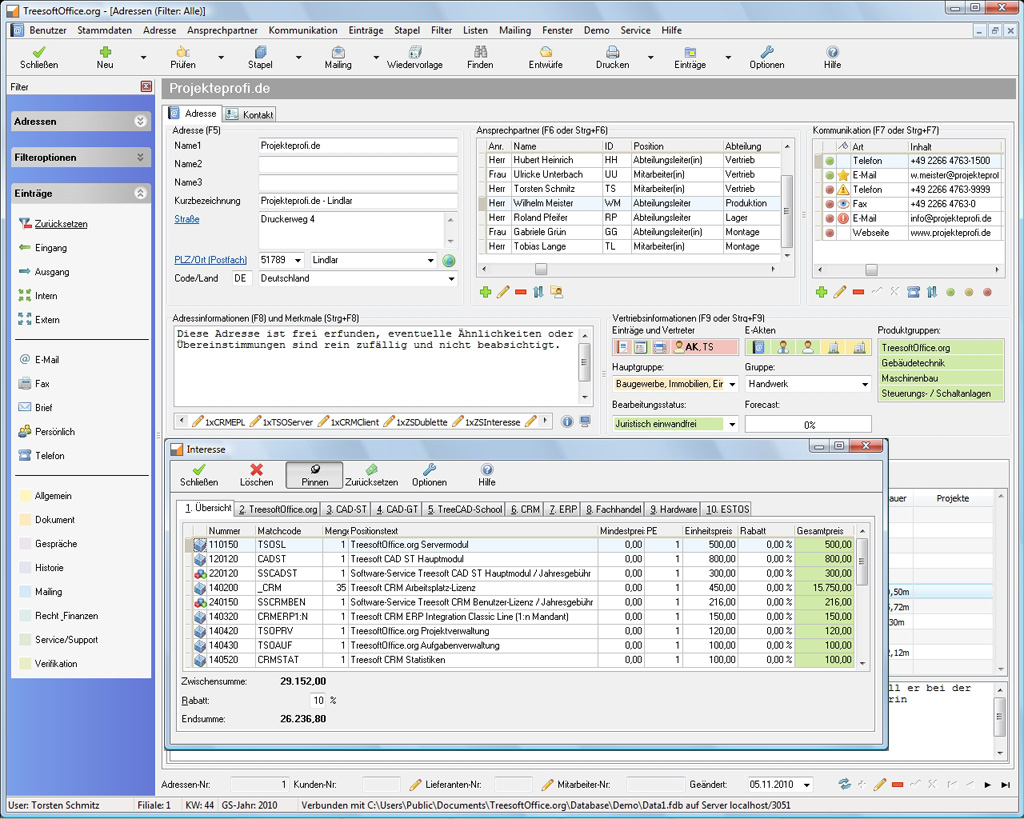
You can use the Treesoft “Interest” feature to record sales opportunities. For example, you can use the “Interest” feature to display your price list, so that the user simply has to check the boxes next to the products the customer is interested in. The “Interest” field can consist of materials, services, or free text; pressing the F10 function key clearly displays the “Interest” information associated with an address.
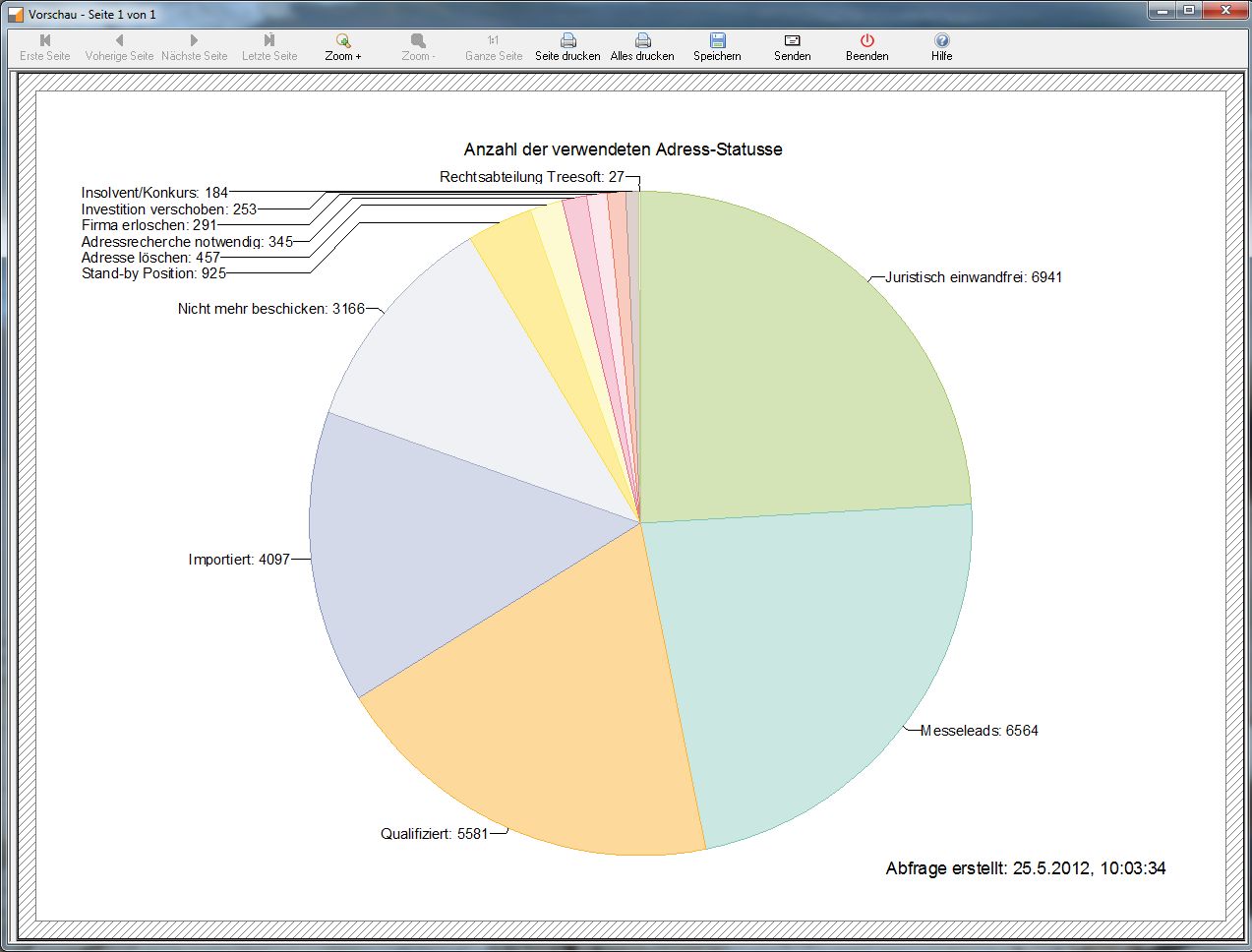
Statistics and Analysis
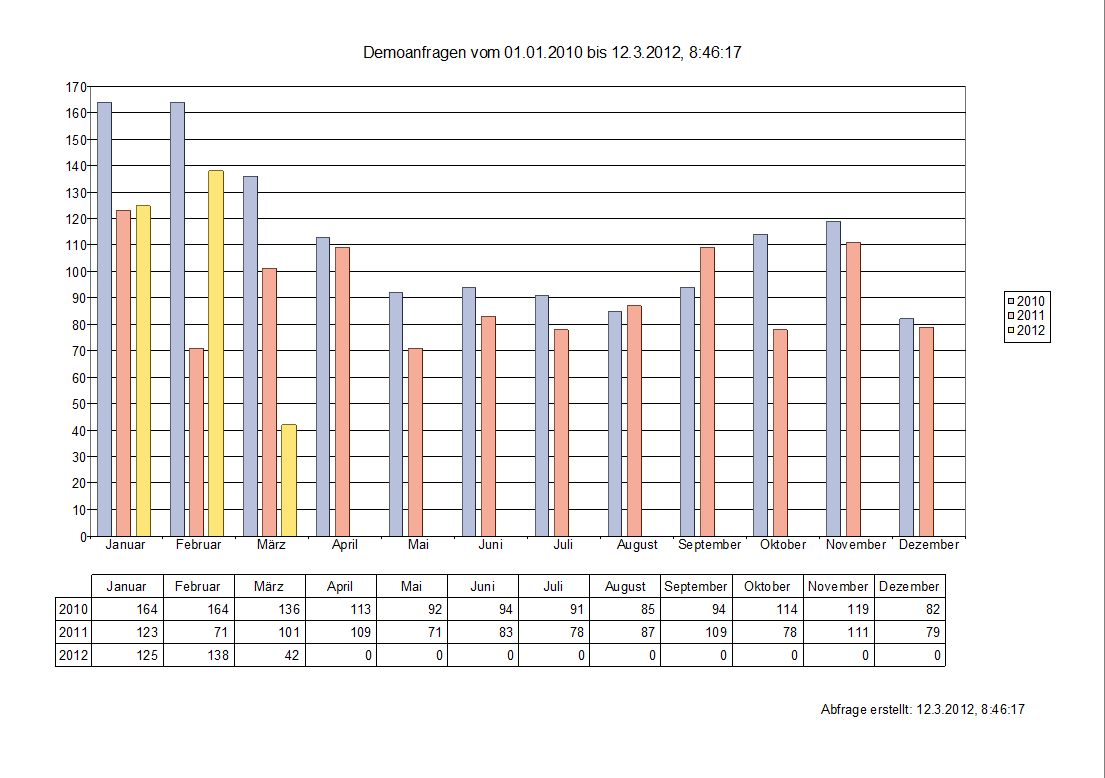
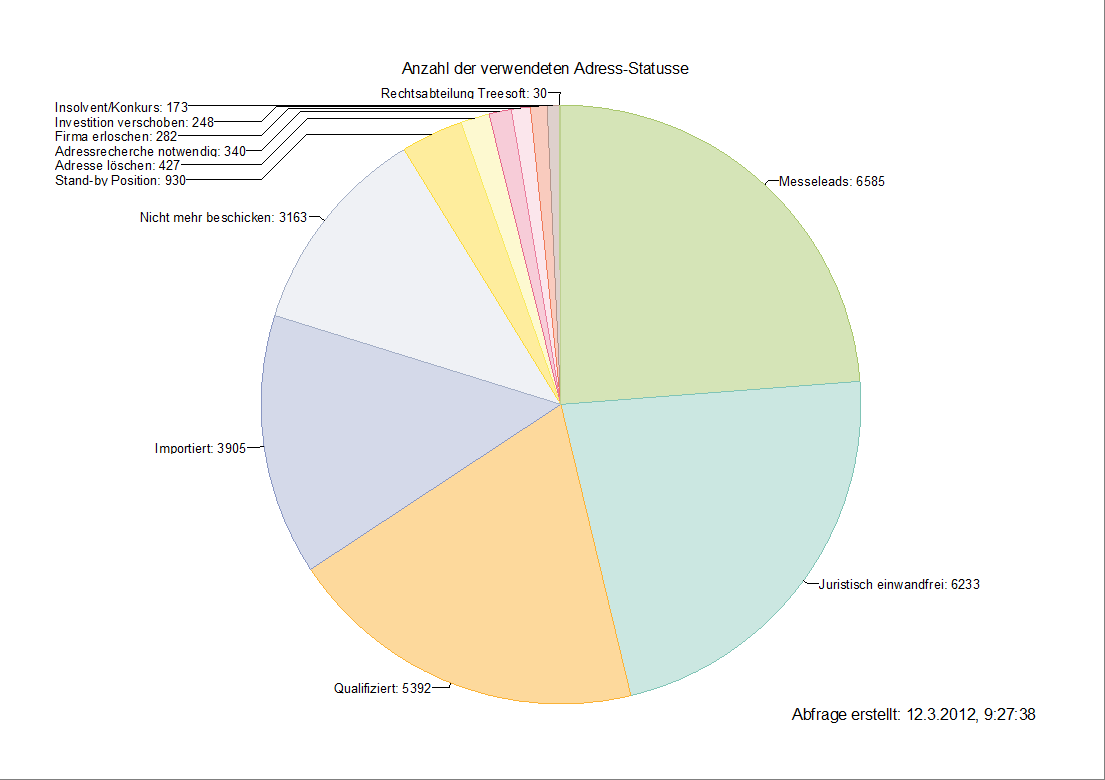
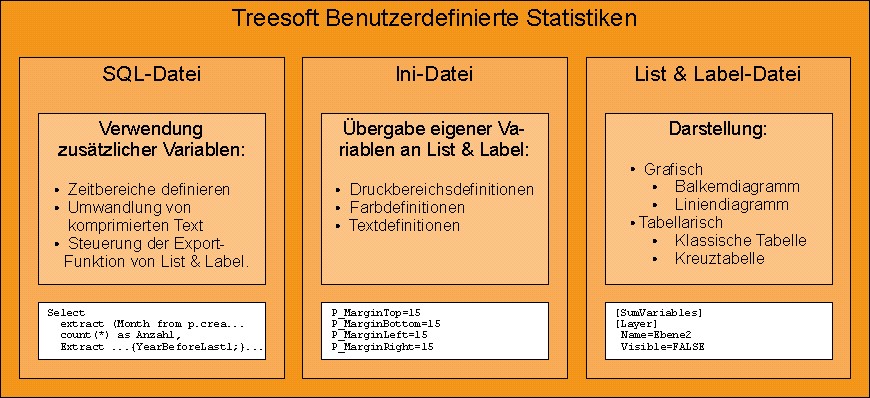
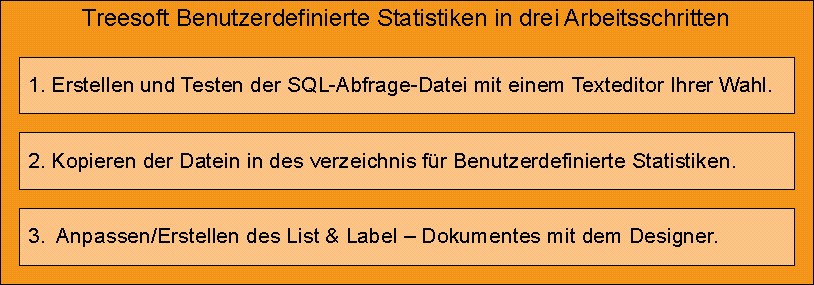
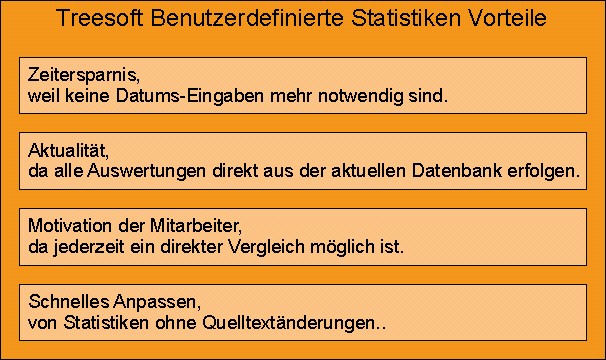
The Treesoft Statistics and Analysis Module allows you to analyze and statistically process log entries from Treesoft Office. These log entries are divided into main groups, groups, and subjects and can be customized to meet individual needs. Do you need statistics to support your business decisions, or do you simply want to view the number of phone calls made by a specific employee—or compare them with those of another employee? No problem—with the Treesoft Statistics and Analysis Module, you can turn your needs into reality.
Treesoft Task and Schedule Management
Treesoft’s task and appointment management feature allows you to save follow-ups, tasks, appointments, and addresses—whether project-specific or general—and view them in the calendar or a corresponding overview.
A reminder feature is included as a matter of course, as are the ability to set a task’s status and to log a completed task in the customer history. When used in conjunction with Treesoft computer telephony, follow-up tasks can be edited and processed directly while on a call with a contact. You can also create additional tasks or appointments directly from log entries, even for other employees.
User and global calendars—which can be displayed individually or in groups—allow you to create any structure you need. For example, you can view the calendars of all technicians at once in a single view, making it easy to find an available time slot right away.

Project Management
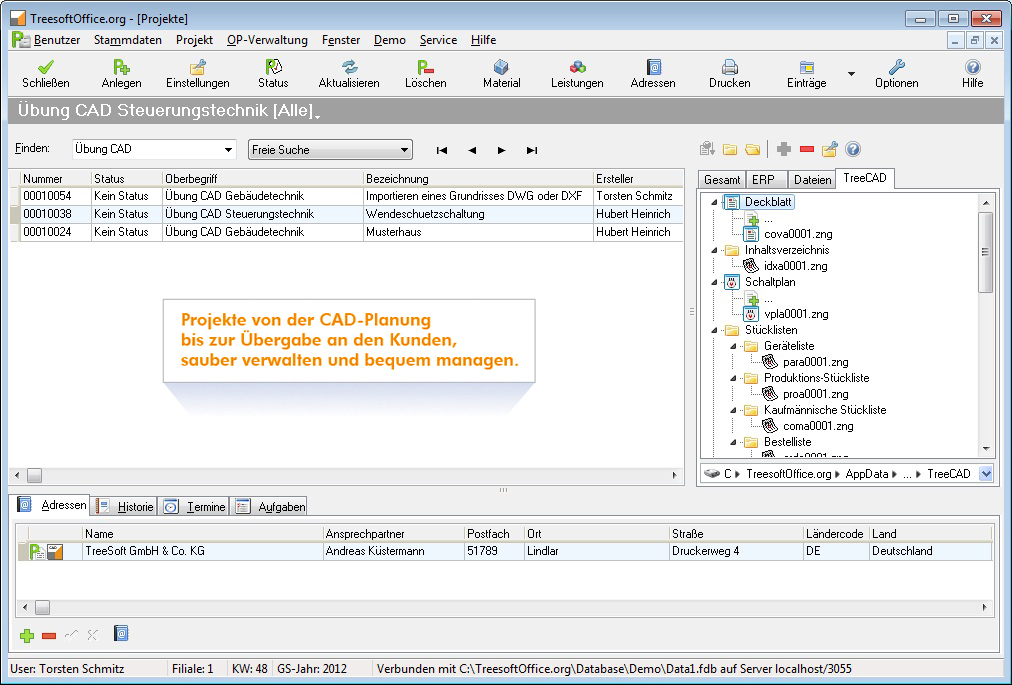
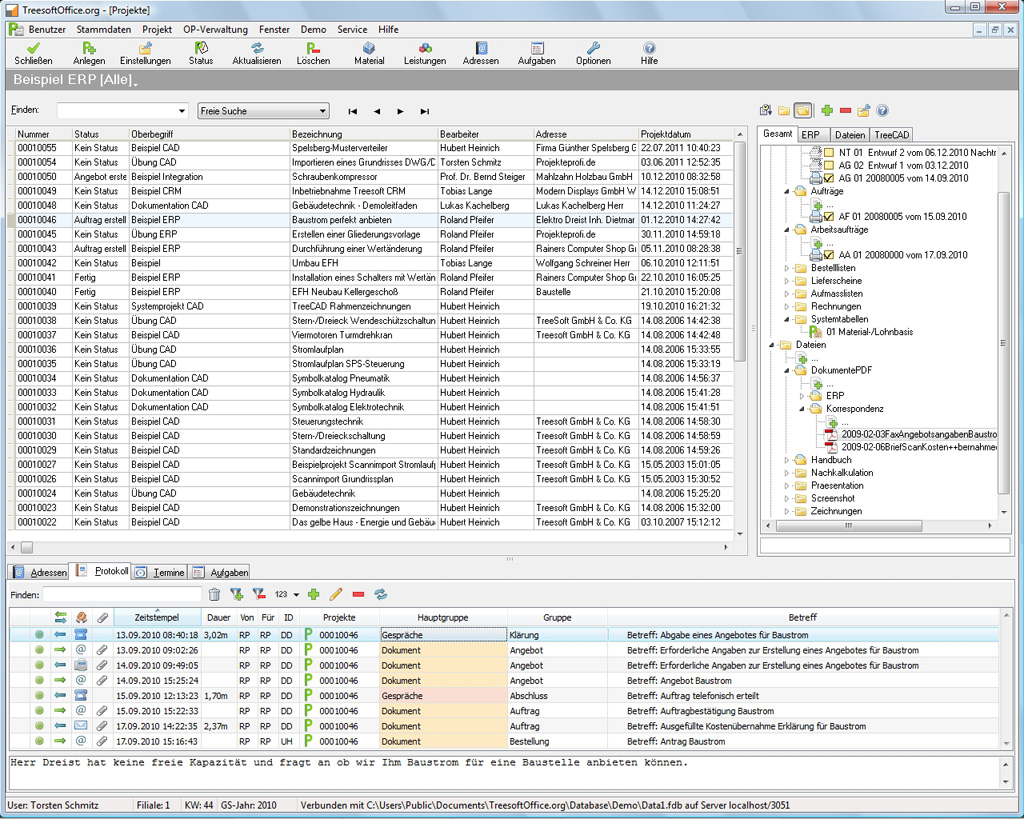
With Treesoft Project Management, you can manage projects of all sizes, as well as processes. Create projects under different parent categories and define your projects using a project declaration. You can assign different addresses, contacts, and log entries to a project.
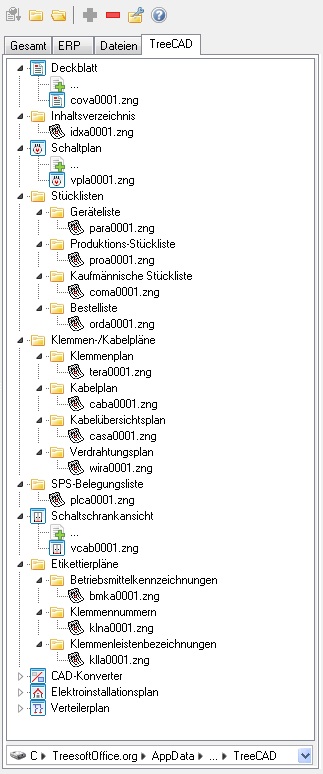
When used in conjunction with Treesoft’s task and schedule management, you can also assign tasks and appointments to a project. Keep track of your projects at all times using the project status and assigned tasks. The integrated file explorer provides direct access to any files in your projects’ directories.
If you’re still organizing your projects using folders on your hard drive or managing the tasks for a project in an MS Excel spreadsheet, for example, you should definitely start using Treesoft Project Management. In this case, you can import existing project structures; you’ll have direct access to your projects and can also manage tasks for them and set a project status.
E-File (digital file folders)
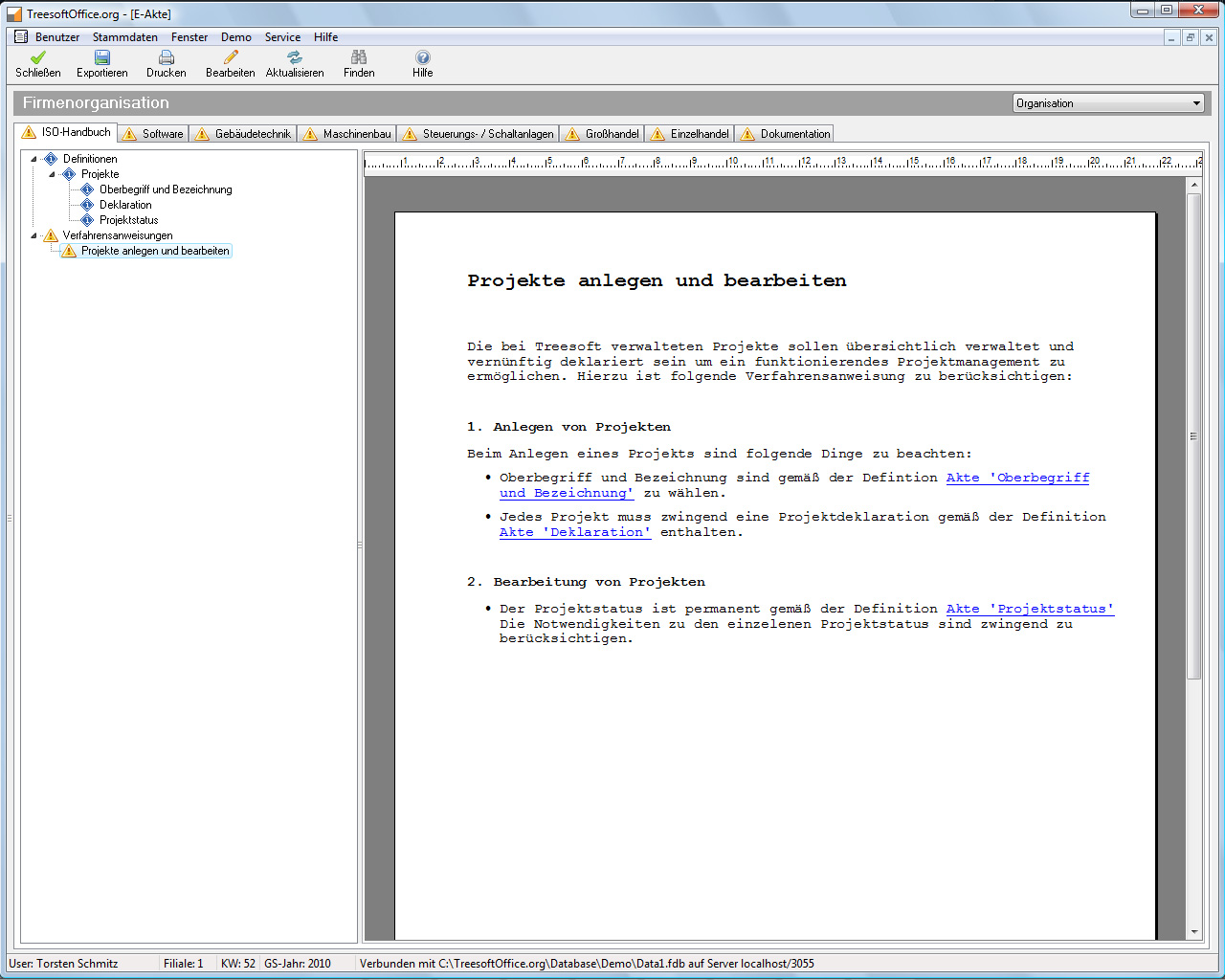
Treesoft E-Akte offers several electronic file folders integrated into Treesoft CRM. This allows you to create file folders for addresses, contacts, and users. It is even possible to create folders that span multiple users. This allows, for example, internal company definitions or procedural guidelines to be stored centrally. Storing DIN EN ISO manuals and managing documents are also drastically simplified.
Protected Email (Anti-Spam Solution)
The Treesoft Protected E-Mail anti-spam solution can be used for every single email address in your company and can be configured in various ways.
With Treesoft Protected Email, you’ll only receive emails from contacts you know. Senders you don’t know automatically receive an auto-reply email with a link to your homepage, where the sender can provide their contact information. Once the sender has done this, every subsequent email is delivered immediately and without delay.
This means spam emails are now a thing of the past, and additional information from the Treesoft Qualifications module can be accessed on the homepage with a single click.
Conversion Tool for ACT! or CAS Genesis World
With the ACT! or CAS Genesis World data migration tool, Treesoft lets you import your ACT! or CAS Genesis World data into Treesoft CRM quickly and easily.
Even ACT! users will be transferred 1:1. Simply install Treesoft CRM, import the conversion data, log in with your usual username, and continue working with Treesoft CRM right away. You’ll have access to all your data as usual and benefit from the additional features Treesoft CRM offers.
Try Treesoft CAD
for free
Questions?
We're happy to help!
+49 2266 4763-800
sales@treesoft.de


