
Our Foreign Language Translation is Outstanding
Treesoft CAD foreign language translation makes it easier for internationally active companies to create and deliver circuit diagrams in English and other national languages. We are setting new standards here, as several functions are, to our knowledge, completely new. Below, we present the highlights of our foreign language translation, which you could only dream of until now.
All translations are part of a single drawing.
Our add-on module stands out because all translations are stored directly in a CAD drawing. They are available to you at any time in the open circuit diagram. This has the advantage that when you make changes, you only need to update one drawing and these changes are applied to all stored languages.
Our auto-complete feature—fast, convenient, and effective!
For consistent labeling and high-quality translations, we recommend using our auto-complete feature. When entering text in the dialog box, keep an eye out for our lightning-fast auto-complete feature! As soon as you start typing, the text is compared with your dictionary and the translations stored in it.
When you select an entry from the autocomplete list, the circuit diagrams are automatically generated in English or in the languages you have added to the dictionary. This has the added advantage that your translations are always identical—convenience and quality assurance in one!
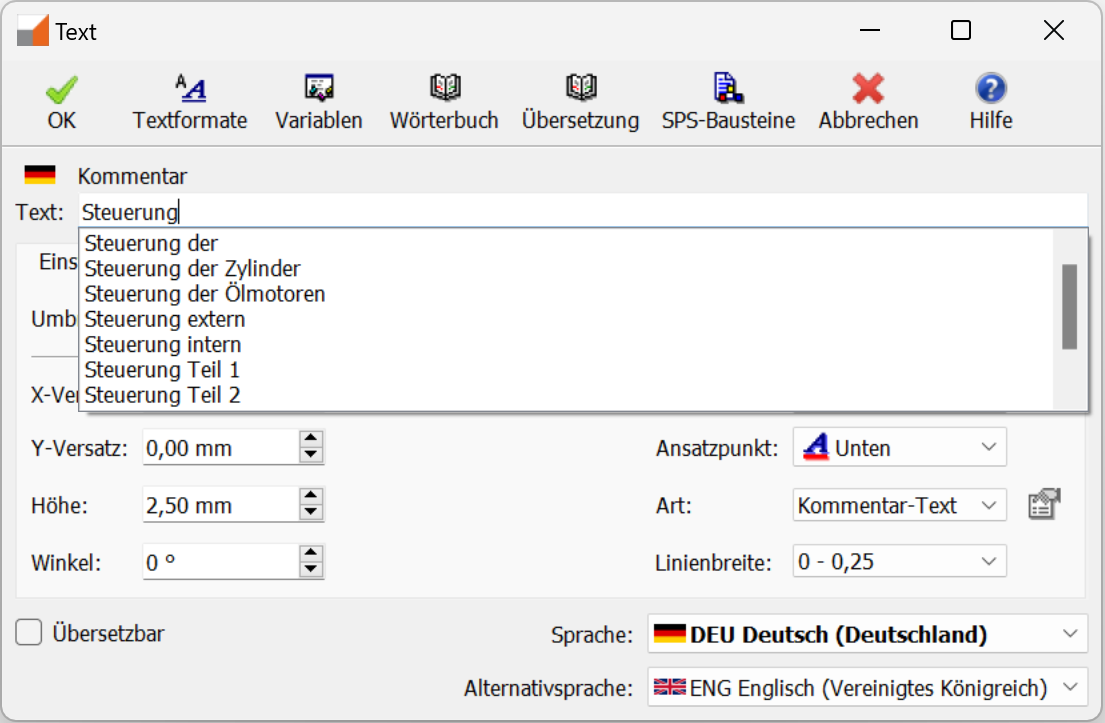
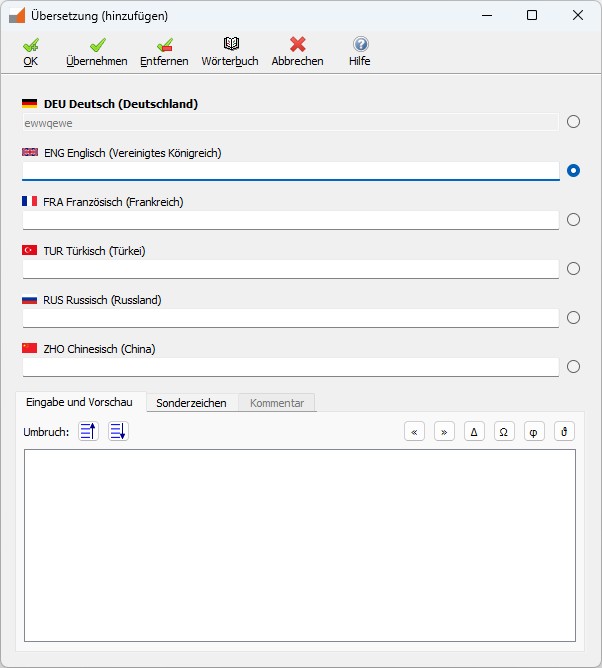
If you notice while labeling that there is no entry in the dictionary yet, create it directly. Then it will be available to you immediately and you can be sure that it will always be translated the same way.
Intelligent collision checking guarantees readability
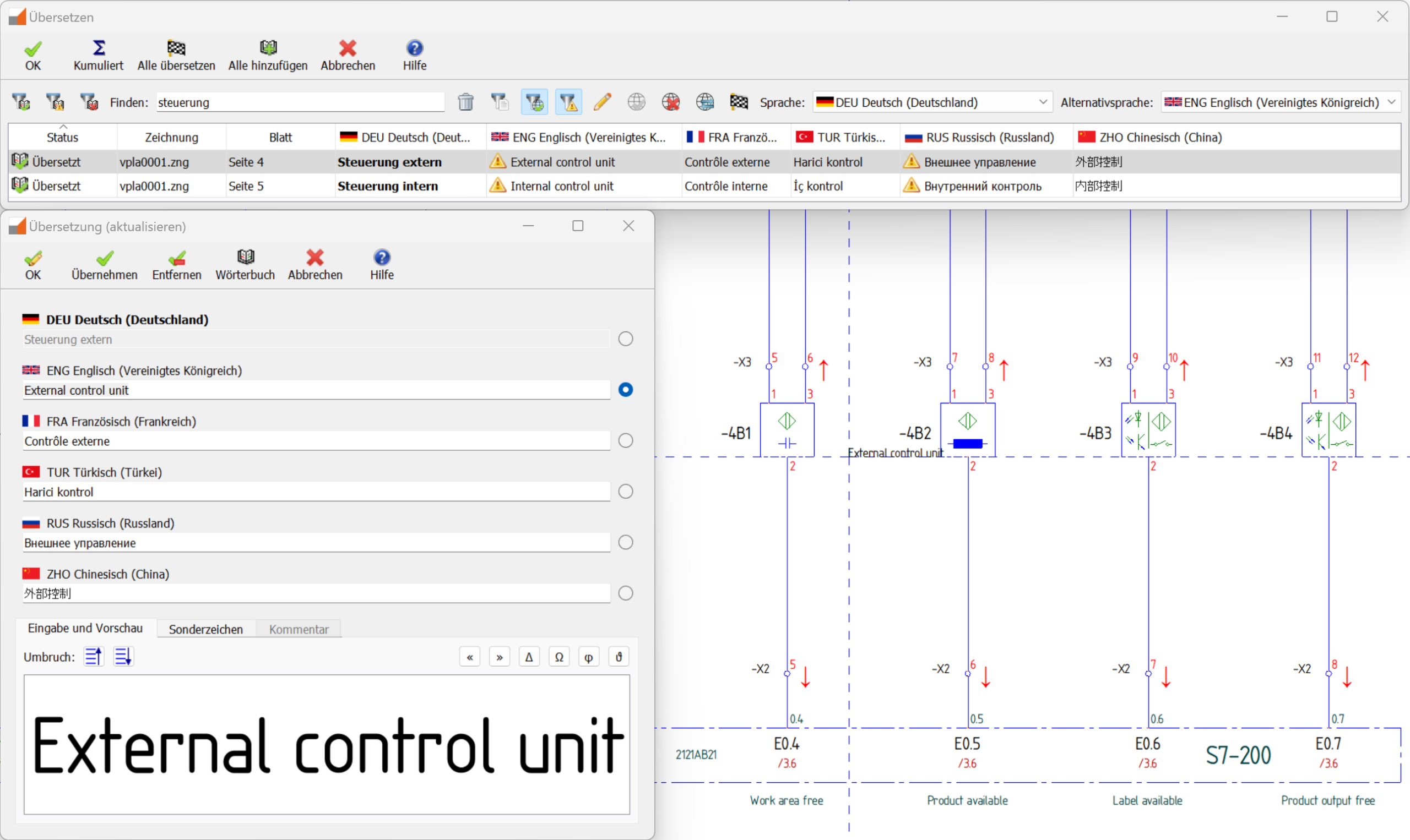
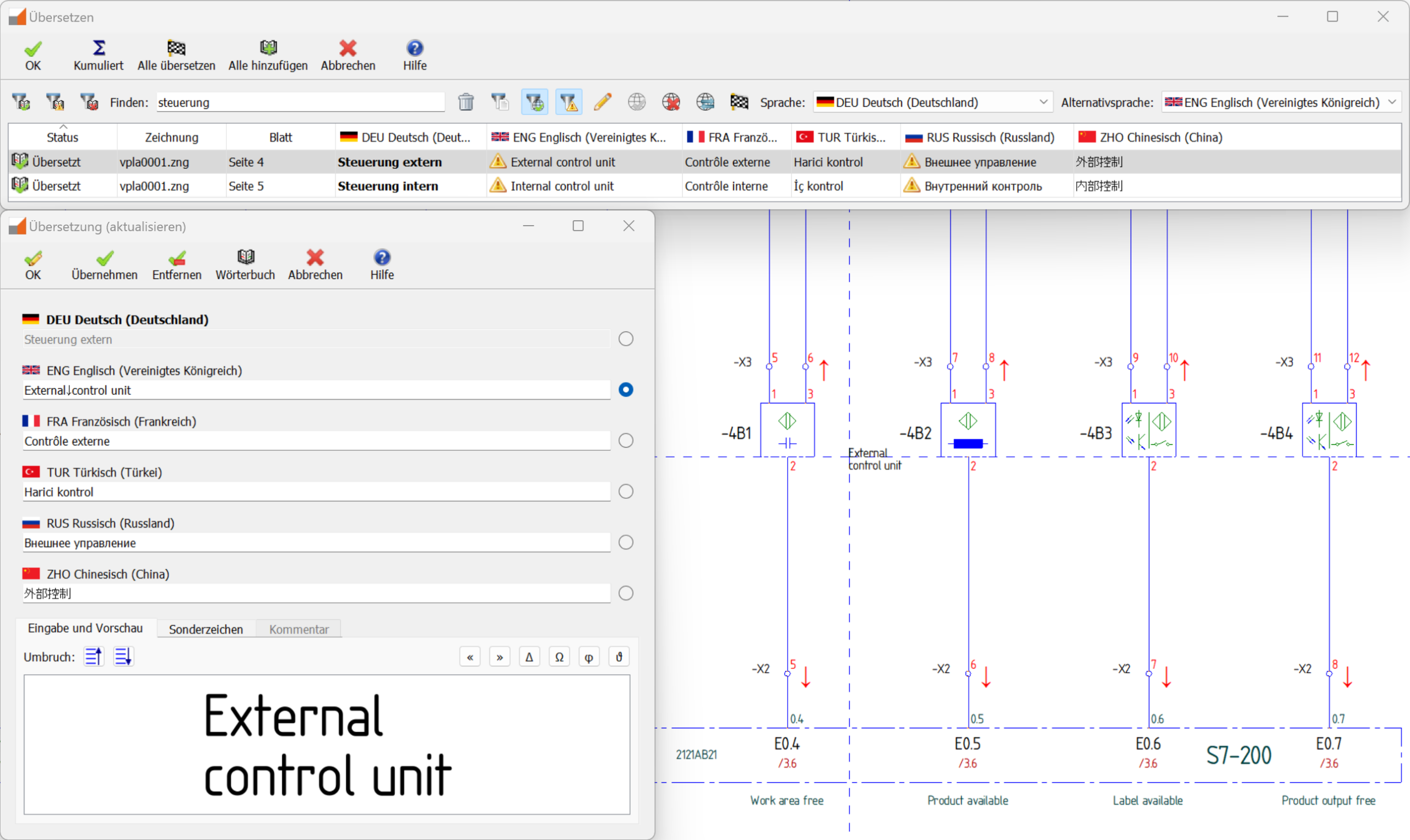
Words and their translations are not always the same length, which is why we have integrated intelligent collision detection into our foreign language translation feature. A colored marker alerts you if a label in one language collides with another part of the drawing. You can then check the individual cases and insert a break at the desired position. The breaks you set are also saved directly in the dictionary, so you usually only have to set them once for each word—handy, right?
Merge function revolutionizes dictionary maintenance
Of course, once you have purchased the add-on module, you can use the import function to directly add your trusted dictionary. Alternatively, we provide you with a basic dictionary that you can customize to suit your needs. You can also use the export function to save your dictionary and share it if necessary—so far, so good.
True to our principle that a well-maintained dictionary facilitates consistent translations, we have not only implemented a standard import and export function, but also an extremely practical merge function. Now you can compare your dictionaries with others, transfer missing entries, or choose between different translations. Maintaining and updating your dictionary has never been easier.
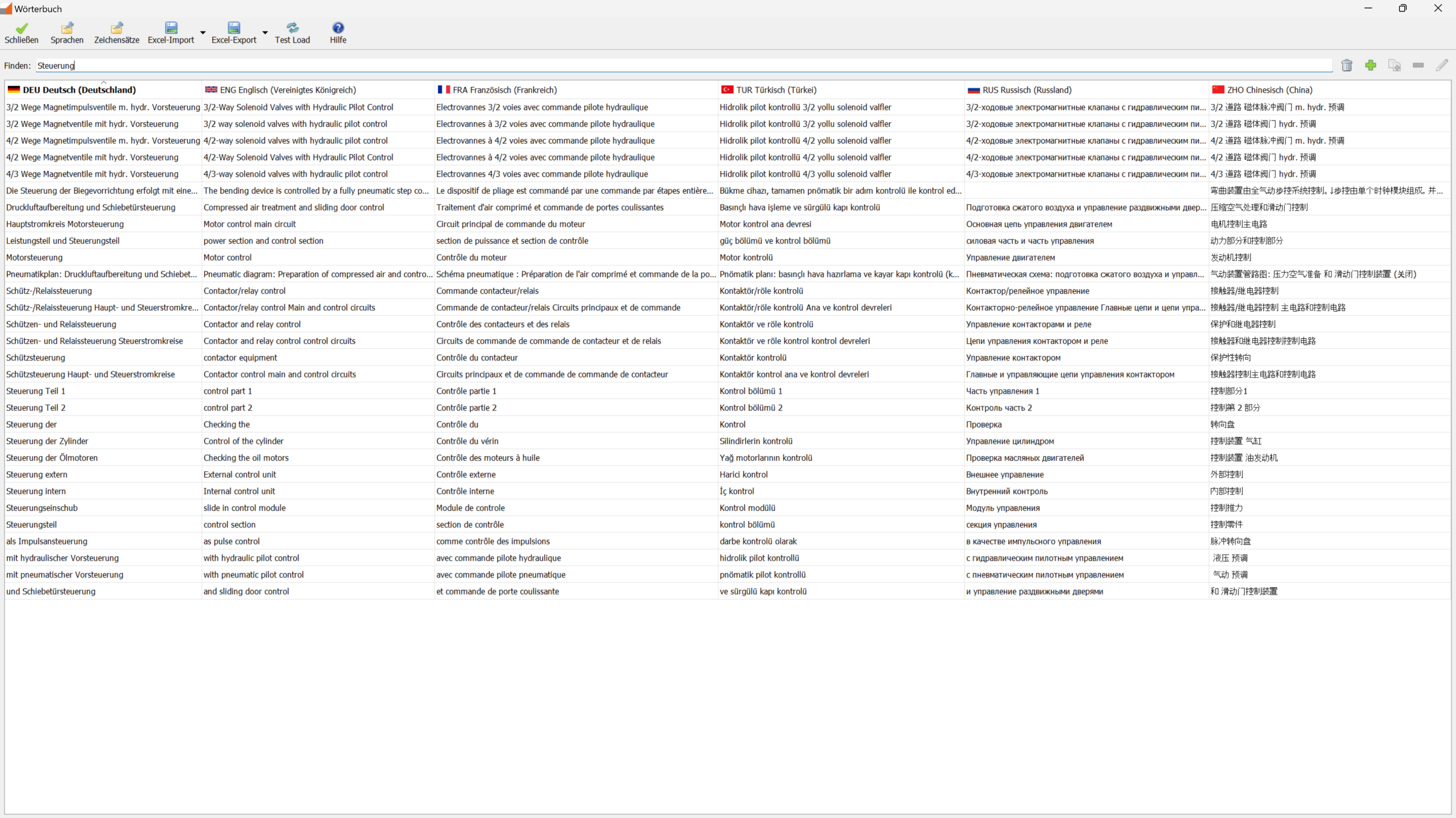
Adjust font sizes manually? Not with us!
You will also appreciate that our software has a fixed height. Our software automatically scales character sets, ensuring that the layout of your drawing is always identical for different characters. It doesn’t matter whether your circuit diagram contains special characters or whether you output it in English or Japanese, the line height is fixed!
Output format is independent of display format
The independence of the output format makes it easy for you to export circuit diagrams in a different language as PDF files in no time at all.
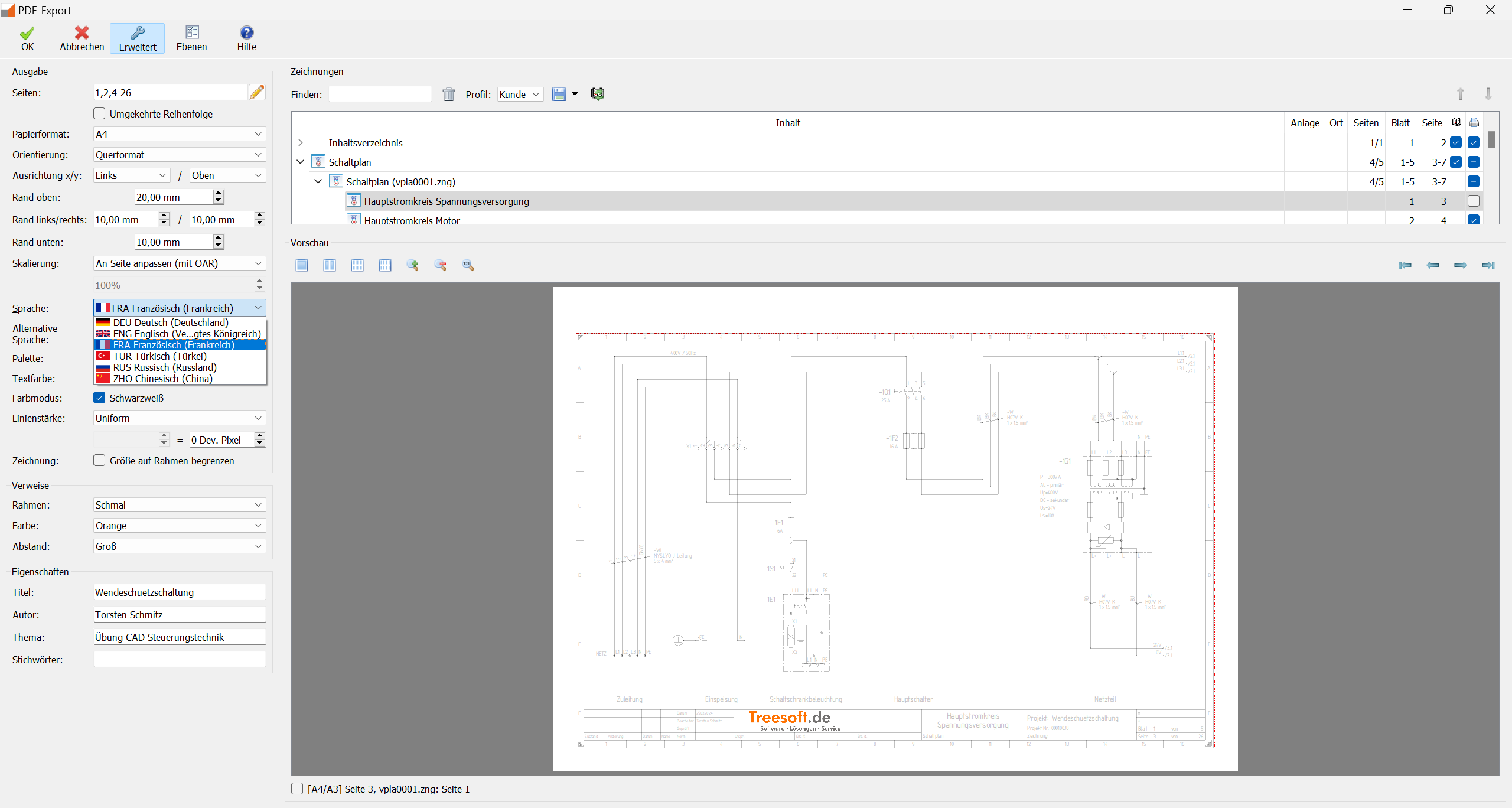
Output language and alternative language
If no translation is available for the selected language, the output will be in the alternative language you have specified, if possible.

Strong individually, unbeatable together
Imagine creating a new drawing and having all the necessary translations stored directly in the drawing after labeling. Our CAD foreign language translation add-on module makes this possible with a well-maintained dictionary!
Together, the individual functions of our foreign language translation feature create an unbeatable CAD add-on module. See for yourself!
20 percent off an additional module
Practice projects for translating circuit diagrams
We provide you with practice projects in our trial version. Here you can try out importing, labeling, and of course translating in our CAD in a safe environment. For example, open the “Weidmüller reverse polarity protection circuit” project and get started!
Manual: CAD foreign language translation
In our manual, we explain the individual functions and how to use them, and provide you with practical tips.
Try Treesoft CAD
for free
Questions?
We're happy to help!
+49 2266 4763-800
sales@treesoft.de


